RentalReady
How to set-up OAuth app
To get access to the oAuth credentials, reach out to the RentalReady API support / Partnerships team.
Please ask them to set the Redirect URL to
https://dev.calry.app/api/v1/oauth/callback.Now, go to Calry webapp > OAuth > '+ New OAuth app'. Select RentalReady from the drop down in Integration type. Paste the
client_idandclient_secretfrom step 1.Finally click on 'Create'.
How to set up Real-time webhooks
- In your rentalready dashboard go to
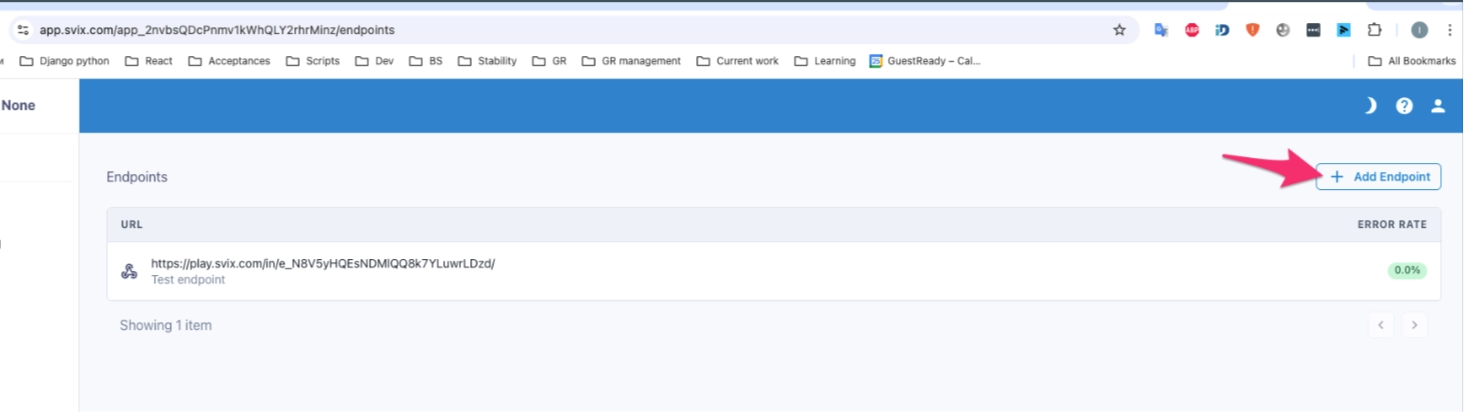
/partner_space/applications/, - Click Manage webhooks (if you don't see this option , please contact rentalready team and they should enable it quickly) next to the application — this opens the Svix App Portal embedded in RentalReady
- On the svix dashboard use Add Endpoint button
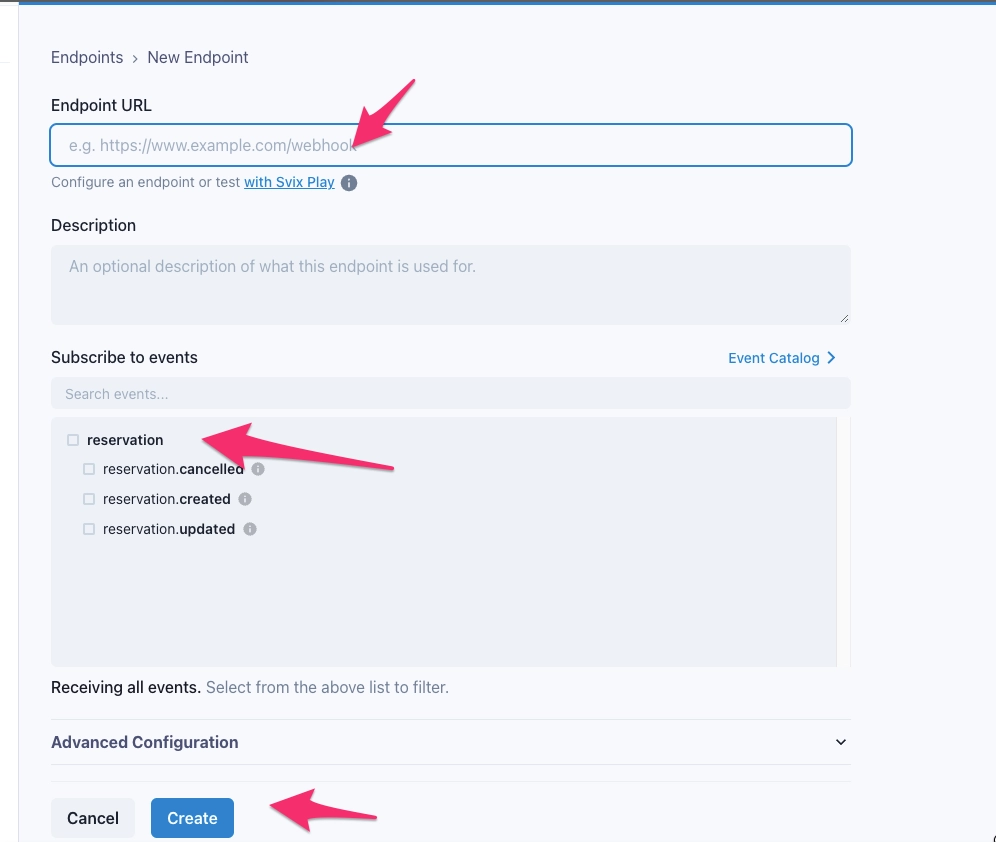
- Add the URL(calry listener url) and reservation and messaging events.
Note: Change the base urls to prod.calry.app if you're connecting it to Calry production environment.
If you need help in creating OAuth app for RentalReady, don't hesitate to reach out at mail@calry.app